Estimate Follow-Up: 9 Text Templates and the Automation That Sends Them
Solve Trend7 min read
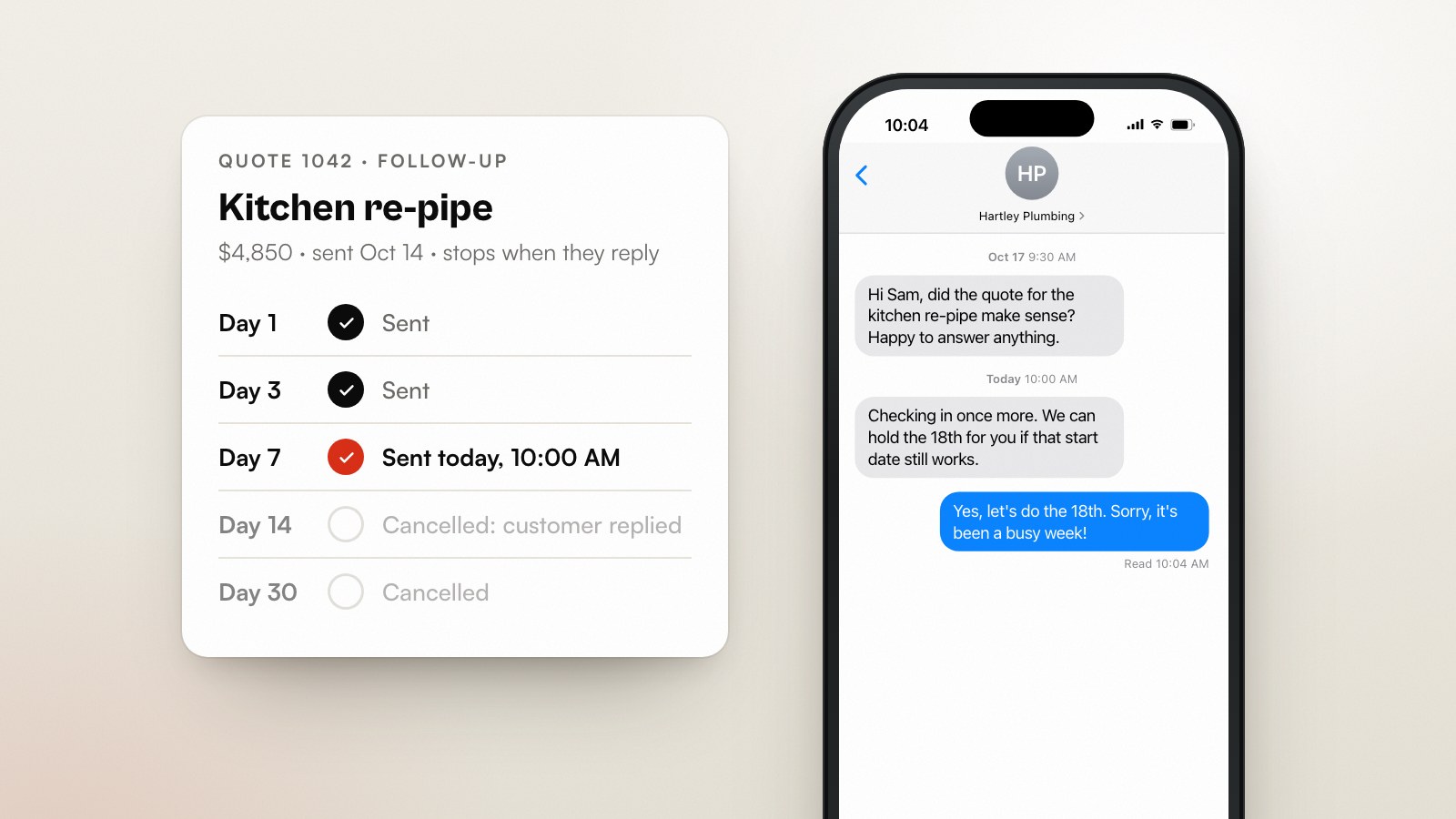
Follow up on an estimate the next working day, then on a fixed schedule (day 3, day 7, day 14, day 30) that stops the moment the customer replies, books or says no. Each message should do one job: confirm they got it, answer a question, offer a smaller option, or close the file politely. That's the whole method. The rest of this post is the templates and the plumbing.
It's written for trades and home-service businesses that send quotes by email, text or a field-service app and then hear nothing back. The awkward part (“am I bugging them?”) goes away when the follow-ups are scheduled, polite and automatic. Nobody feels pushy about a calendar.
Why do quotes go quiet?
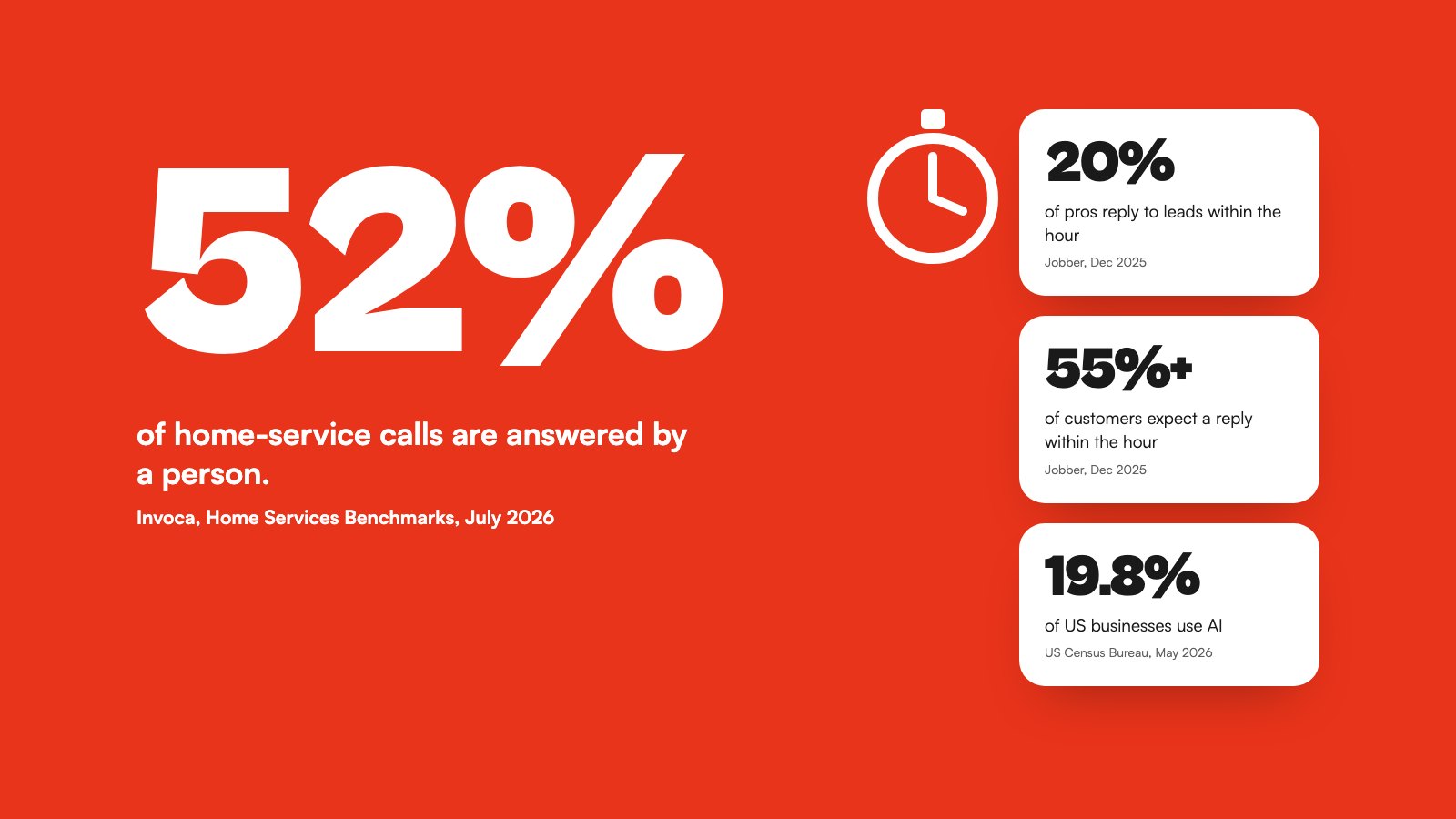
Customers go quiet because they're busy, comparing, waiting on someone else, or quietly shocked by the number. Very few send a “no thanks”. Jobber's platform data shows the top-performing businesses win over 60% of their quotes, and its survey of 1,050 US owners found only 16% offer tiered “good, better, best” pricing (Jobber). The gap between average and top is mostly follow-up and options, not price.
- They're getting two more quotes and yours arrived first. Good. Stay first in their inbox.
- They need a spouse, a landlord or a strata board to sign off.
- The number was higher than they hoped and they don't want an awkward conversation.
- They meant to reply, then the kids, the job, the week happened.
- The timing is wrong. The deck can wait until spring.
Every one of those has a message that fixes it. None of them is fixed by waiting.
The follow-up sequence, day by day
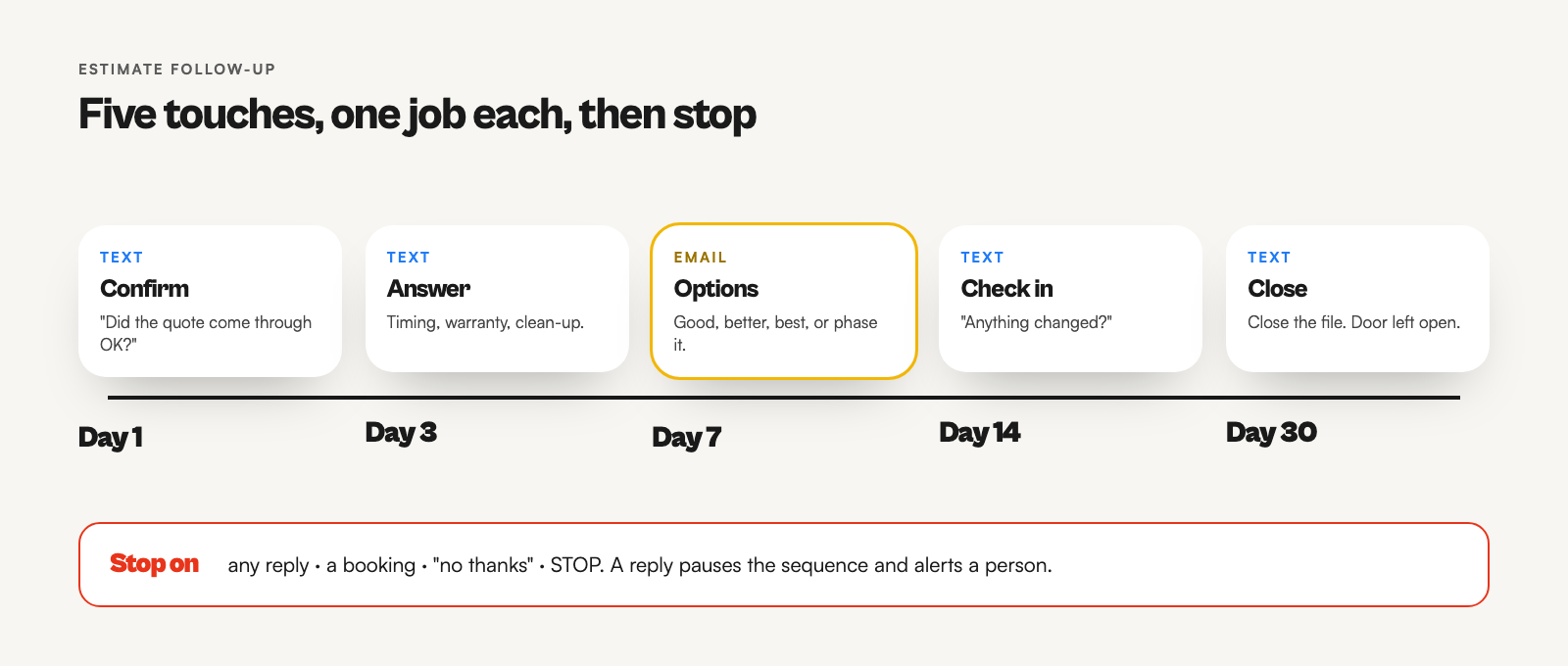
Five touches over 30 days, each with a different job. Texts for speed, one email for the details, and a final message that gives the customer a graceful exit. Any reply, booking or STOP ends the sequence immediately.
| Day | Channel | Job of the message |
|---|---|---|
| 0 | Email or app | Send the quote, with a clear expiry date and a one-tap way to accept. |
| 1 | Text | Confirm it arrived. Offer to walk through it. |
| 3 | Text | Answer the question they haven't asked: timing, warranty, mess, parking. |
| 7 | Offer options: a smaller scope, a phased plan, or good/better/best. | |
| 14 | Text | Check in on the decision. Ask if anything's changed. |
| 30 | Text | Close the file politely and leave the door open. |
Nine estimate follow-up text templates
Copy these, swap the brackets, and read them out loud in your own voice before using them. Each stays under 160 characters so it sends as one SMS. Add your opt-out line where your country requires it.
| # | When | Template |
|---|---|---|
| 1 | Day 1 | Hi [First name], [Your name] from [Business]. Just checking the quote for the [job] came through OK. Happy to walk you through it. |
| 2 | Day 1, after a site visit | Thanks for having us out today, [First name]. Your quote's in your inbox. Any questions, text me here. |
| 3 | Day 3 | Hi [First name], a few people ask how long a [job] takes. Yours is about [X] days, and we clean up every night. Any other questions? |
| 4 | Day 3, competitive job | Hi [First name], if you're comparing quotes, check whether they include [disposal/permits/warranty]. Ours does. Happy to explain any line. |
| 5 | Day 7 | Hi [First name], if the full quote is more than you planned, we can phase it or do [smaller option] first. Want me to send options? |
| 6 | Day 7, tiered | Hi [First name], I put together 3 options for the [job], from $[low] to $[high]. Sent to your email. Any of them close? |
| 7 | Day 14 | Hi [First name], still thinking about the [job]? No rush. Our schedule for [month] is filling up, so let me know if you'd like a spot. |
| 8 | Day 14, quote expiring | Hi [First name], your quote for the [job] is good until [date]. After that, material prices may change it. Want to lock it in? |
| 9 | Day 30 | Hi [First name], I'll close the file on your [job] quote for now. If anything changes, just reply here. Thanks for considering us. |
When should the follow-ups stop?
The sequence stops on any reply, a booking, a decline or an opt-out. Automating follow-up without stop rules is how you text “still thinking about it?” to someone who booked yesterday. Build these checks in before the first message goes out:
- Any inbound text or email from the customer pauses the sequence and alerts a person. Let a human take it from there.
- Quote accepted or job booked in your app or sheet ends it.
- “No thanks” ends it. Send one polite reply, then nothing.
- STOP, UNSUBSCRIBE or similar ends it everywhere, for good, not just for this quote.
- Quiet hours. Send between 9 a.m. and 7 p.m. in the customer's time zone. In the US, the TCPA bars telephone solicitations before 8 a.m. and after 9 p.m. local time.
Re-quote with good, better, best
If the quote stalls, change the question from “yes or no?” to “which one?”. Three options, clearly different. Good: the essential fix. Better: the fix plus the thing that stops it happening again. Best: the full job with the upgrade. With only 16% of pros offering tiers, the day-7 options message is a cheap way to stand out (Jobber). It also gives a price-shocked customer a way back in without haggling.
How to automate estimate follow-up
Check your field-service software first. Many of them, including Jobber and Housecall Pro, include some form of automated quote follow-up. If yours does and the stop rules above are covered, use it. Build your own when you quote from a spreadsheet, need texts the app won't send, or want follow-ups tied to your own CRM.
The spreadsheet + n8n version
- One Google Sheet row per quote: name, mobile, email, job, amount, sent date, status (open, replied, won, lost, stopped).
- An n8n Schedule Trigger runs every weekday at 9:30 a.m.
- A Google Sheets node reads rows where status is open.
- A Code or IF node keeps rows where the days since sending are exactly 1, 3, 7, 14 or 30, and picks the matching template.
- Twilio sends the text (or Gmail/Resend sends the day-7 email), and the row gets a “last touch” date.
- A second workflow listens on your Twilio number for replies, finds the row by phone number, sets status to replied, and texts you the reply.
const STEPS = { 1: "t1", 3: "t3", 7: "email7", 14: "t14", 30: "t30" };
const day = 24 * 60 * 60 * 1000;

return $input.all().flatMap((row) => {
  const sent = new Date(row.json.sent_date);
  const age = Math.floor((Date.now() - sent.getTime()) / day);
  const step = STEPS[age];
  return step ? [{ json: { ...row.json, step } }] : [];
});
If you use Jobber, ServiceTitan or Housecall Pro, swap the sheet for their API or webhooks so quote status stays in one place. The logic doesn't change.
Rules for following up by text
Follow-ups on a quote the customer asked for are about as safe as commercial texting gets, but they still have rules. In Canada, CASL exempts a message that solely provides a quote the person requested from the consent requirement. It must still identify you and include an unsubscribe option (s. 6(6)(a) and 6(2)), and an inquiry in the last six months supports implied consent for related follow-ups (s. 10(10)(e)) (CASL).
In the UK, the soft opt-in under PECR covers people who discussed buying from you, as long as you gave them a clear way to opt out (ICO). In the US and Australia, name your business in every message, honour STOP immediately, and keep to sensible hours. This isn't legal advice. Run your templates past a lawyer if you text at volume.
What to measure
Three numbers tell you whether follow-up is working. Track your quote win rate, the hours from sending a quote to the first follow-up, and the reply rate for each step. If one step never gets a reply after a few months, rewrite it or cut it. If most wins come after day 7, your options message is doing the heavy lifting. Make it better.
Estimate follow-up FAQ
How long should I wait to follow up on an estimate?
One working day. It's soon enough that they remember you, and late enough that they've had time to open it.
How many times should I follow up on a quote?
Four or five touches over 30 days, then close the file. After that, add them to a seasonal check-in list instead of chasing.
Text or email?
Text for short nudges, email for anything with numbers or options. Customers expect fast replies (over 55% expect one within the hour, per Jobber's survey), and texts get seen.
Isn't following up pushy?
Following up with something useful isn't. “Just checking in” five times is. Give every message a job: confirm, answer, offer options, close.
What if they say the price is too high?
Thank them and offer a smaller scope or a phased plan, not a discount. Cutting the price teaches them your first number wasn't real.
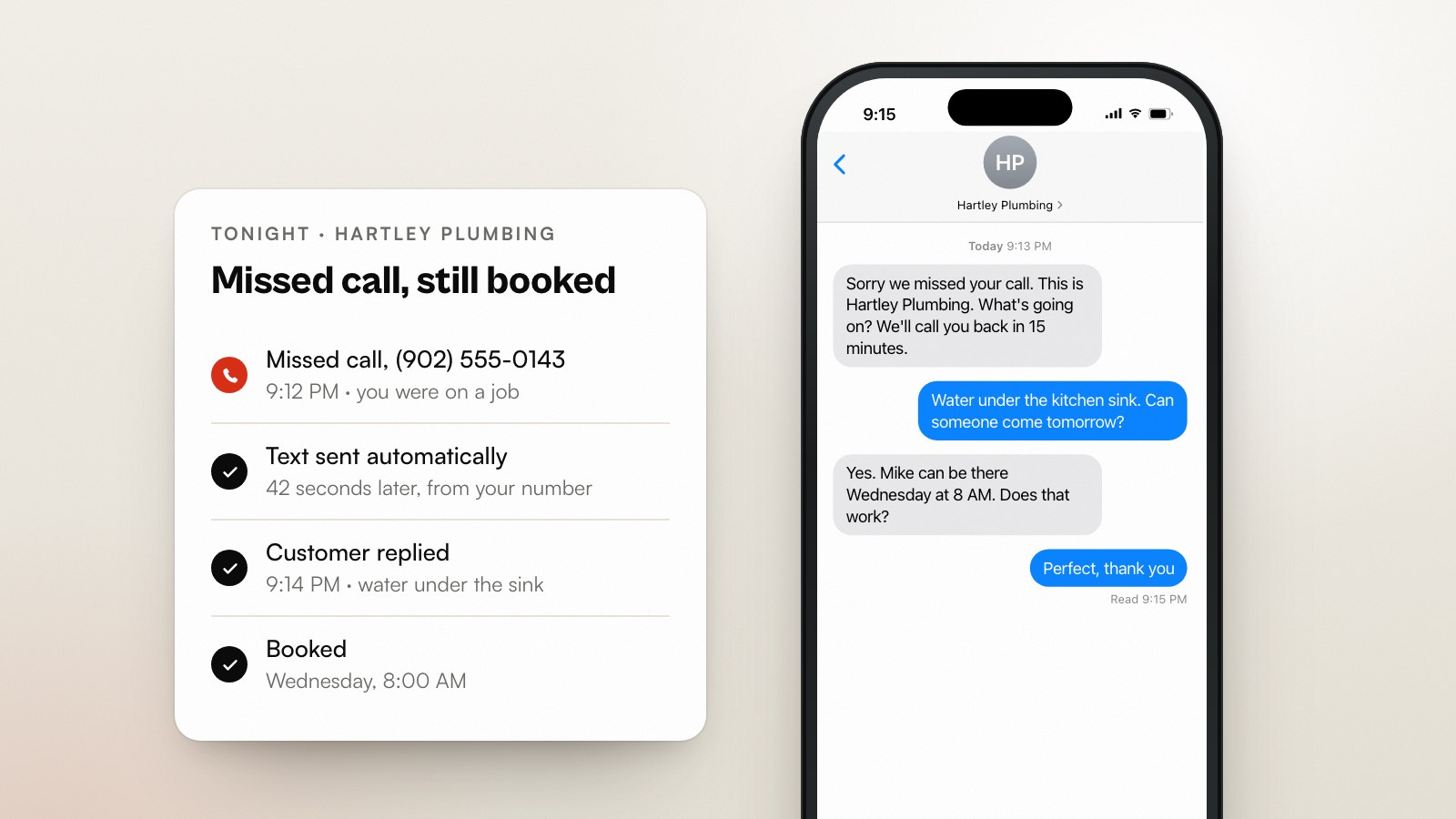
Missing the call before the quote even happens? Start with missed-call text-back. Want the follow-up running without building it yourself? Our Quote Follow-Up System sets up automatic follow-up on open quotes, in your voice, for a fixed CA$2,490, one time (see pricing).
Sources
- Jobber, Home Service Trends Report (1,050 US owners, Dec 2025; quote win rates from Jobber platform data)
- Invoca, Home Services Lead Conversion Benchmarks Report, July 2026
- Canada's Anti-Spam Legislation, S.C. 2010, c. 23, sections 6 and 10
- UK Information Commissioner's Office, electronic mail marketing (PECR)
Working through this yourself?
If you’d rather not wire this up yourself,we’re happy to talk it through: scope first, pitch later.